 micloud
Make it yours.
Have a Mac and your own storage? Run micloud yourself. Inspect the code. Own the setup.
Explore self-hostingFor the hands-on · open-source project
Your Apple life, copied in real time. From photos and files to messages, mail and health data—micloud keeps an independent copy on storage you control. Bring years of history with you, even from a very large iCloud account.
Have a Mac and your own storage? Run micloud yourself. Inspect the code. Own the setup.
Explore self-hostingWant the independent copy, without the setup? We’ll help design and manage the right solution.
Talk to us about your setupCheck micloud’s service status from your everyday Mac, iPad or iPhone. See what’s up to date, follow the activity graph and read the event log. Check what’s catching up and when your backup Mac last reported—all without sitting in front of it.
Explore the companion design proposalFor your everyday Mac, iPhone and iPad. iOS beta access is by invitation.
Release notes & checksum ↗Build the iPhone companion from source ↗
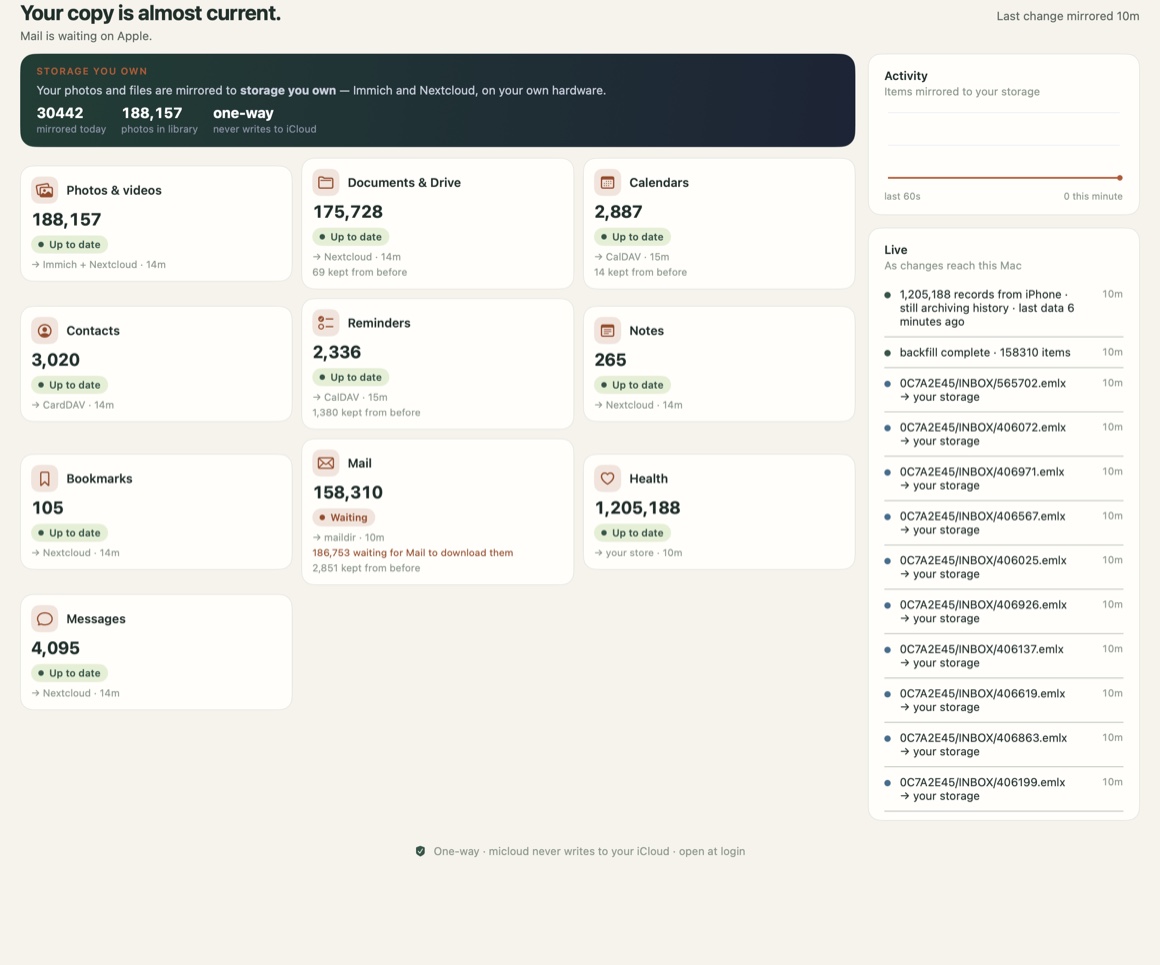
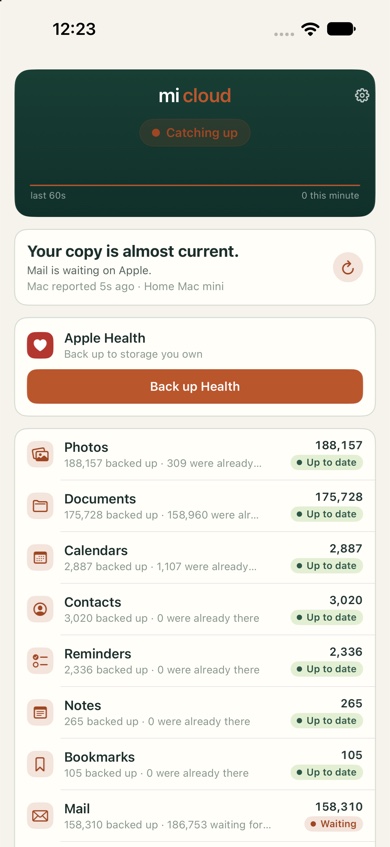
Real screenshots of micloud 0.2.1: the dashboard on a Mac and the iPhone companion, reading one account’s live status.
Keep using your Apple apps. micloud backfills your existing data, then keeps your independent copy up to date in real time through a Mac signed into your iCloud account.
The Mac needs to be online for new changes to be copied. Initial transfer time depends on your library and connection.
The useful, personal, easy-to-overlook things deserve an independent home too. micloud covers the data that makes your Apple account yours.
Explore the setupSee the release documentation for formats, permissions and setup details for each data type.
A new independent copy shouldn’t mean starting from scratch.
Years of photos, files and personal history? micloud is built to backfill very large iCloud accounts, so your existing data comes with you.
Once connected, micloud keeps pace with new data and changes as they become available on the Mac. Your second copy becomes part of your everyday life.
Initial backfill time depends on the size of your account, your connection and Apple’s availability. The Mac needs to be online to copy new changes.
A backup should be something you understand. What’s copied, where it goes, and how to get it back.
Follow the open-source project on GitHub. Review the implementation and release notes before you install.
Use your own infrastructure, or agree a managed setup with us. Hosting, access and responsibilities should be clear from the start.
Check retention and deletion behaviour for your chosen setup. Make a sample recovery part of getting started.
Still weighing it up?
Ask us a question.
No. micloud is designed to work alongside it. You can keep your Apple apps and devices, with an independent copy in a separate destination.
Yes. The companion app lets you monitor micloud from your normal daily-driver Mac, iPad or iPhone. Check the service states and the last report time from the Mac running the backup. If that report is old, investigate the connection rather than assuming new data has been copied.
For self-hosting, yes: a Mac signed into your iCloud account runs the bridge. It must be online to copy new changes. If you’d prefer us to arrange the setup, request a quote.
No. micloud copies your photos, files, messages, mail, notes, reminders, to-do lists, calendars, contacts, bookmarks and health data. It is not a complete device image. Keep your existing device-backup routine too.
Retention and recovery depend on the application and storage configuration. Confirm how deleted items and earlier versions are kept before relying on a setup. For a managed service, we’ll discuss this as part of your quote.
We quote individually based on your data, equipment and the help you need. There’s no checkout or payment required to enquire.
Yes. micloud is built to backfill very large existing accounts, then maintain the copy with real-time updates. The initial transfer takes time and depends on data volume, connection speed and availability from Apple.
Yes. Download micloud for macOS from the GitHub release, or build the iPhone companion from source. If you’d rather we handle it, ask us about a managed setup.